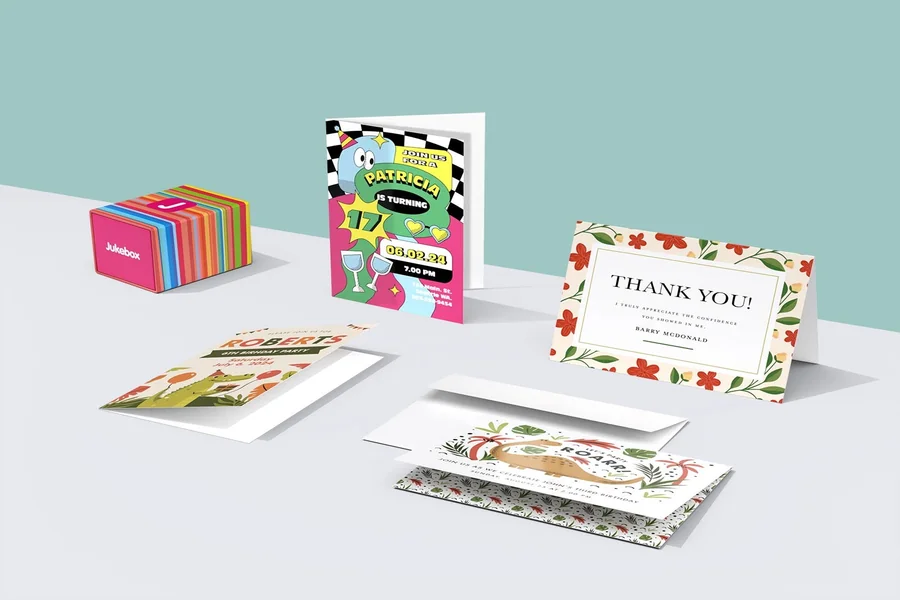
Greeting cards sit in an unusual middle ground: they’re personal, but they also have practical constraints—folds, margins, readability, and print sizing. A design that looks fine on a phone screen can fall apart once it’s trimmed and folded.
This category is aimed at people who want something more specific than a store-bought card but don’t want to start from a blank canvas. Typical users include families making occasion cards, small groups creating thank-you notes, and anyone who needs a quick, presentable layout without learning design fundamentals.
Tools in this space tend to differ on three things that matter for beginners: how quickly templates can be customized, how well the editor protects layout basics (alignment, spacing, type hierarchy), and whether export options reliably support printing at common card sizes.
Adobe Express is a sensible place to begin for many everyday card needs because it combines approachable templates with an editing workflow that stays manageable for non-designers, while still allowing enough customization to feel personal.
Best Greeting Card Design Tools Compared
Best greeting card design tool for quick, print-ready cards with mainstream templates
Adobe Express
Best for people who want a straightforward template workflow and clean print exports.
Overview
Adobe Express is a template-led design tool that supports common greeting card formats with beginner-friendly editing controls. The workflow generally starts with a ready-made layout, then moves through simple text edits, image replacement, and spacing adjustments before exporting. Bottom line, it’s easy to get started making free greeting cards to print with Adobe Express.
Platforms supported
Web; iOS; Android.
Pricing model
Freemium (free tier with optional paid plans).
Tool type
Template-based design and layout editor.
Strengths
- Template-first approach that reduces layout decisions for non-designers.
- Controls for typography, alignment, and spacing that help keep small formats readable.
- Flexible enough for simple photo cards, message-forward designs, and minimal illustrations.
- Export workflow that fits typical at-home or local print needs.
Limitations
- Some templates, assets, or advanced features may be limited to paid tiers depending on use.
- People seeking highly technical prepress controls may prefer a dedicated print-production workflow.
Editorial summary
Adobe Express fits the broad, everyday use case: a card that looks organized, prints cleanly, and can be finished quickly. For many users, the main advantage is that the templates do much of the composition work up front.
The editing experience is typically forgiving. Because greeting cards are small and spacing is obvious, the ability to adjust text and element placement without complex tools is a practical benefit.
Compared with template libraries that optimize for novelty or heavy decoration, Adobe Express usually works well when the goal is a restrained, readable card. Compared with tools built specifically around one format (like photo cards), it remains flexible across occasions and styles.
Best greeting card design tool for maximum template variety and fast personalization
Canva
Best for users who want a very wide range of card styles and frequent new templates.
Overview
Canva is a broad template-based design platform with an extensive greeting card library and a drag-and-drop editor. It’s commonly used when variety matters—seasonal cards, party invitations, thank-yous, and simple announcements—often in the same workflow.
Platforms supported
Web; desktop apps; iOS; Android.
Pricing model
Freemium with optional paid tiers.
Tool type
Template-based design suite with collaboration features.
Strengths
- Large catalog of greeting card templates across many occasions and visual styles.
- Quick edits for text, photos, and layout elements with minimal setup.
- Helpful when producing coordinated sets (card + matching social graphic) in one place.
- Collaboration/sharing features can support group edits for events or family cards.
Limitations
- Template abundance can increase decision time unless a style direction is clear.
- Premium assets and some export capabilities vary by tier.
Editorial summary
Canva is often a strong alternative when the template library itself is the main draw. For greeting cards, that can be useful when a user wants a very specific tone—playful, formal, minimalist, or illustration-heavy.
The editor encourages quick assembly, but the openness of the canvas means layout restraint matters. It’s easy to add extra decorative elements that compete with the message, especially in small formats.
Conceptually, Canva functions as a general-purpose design workspace. Adobe Express typically feels more “guided” for common outcomes, while Canva often wins on breadth and variety.
Best greeting card design tool for simple cards with minimal design decisions
Greetings Island
Best for people who want a fast, occasion-based template and basic edits.
Overview
Greetings Island focuses on ready-to-print greeting cards with simple personalization. The experience is generally oriented around choosing an occasion, selecting a layout, and changing text with limited complexity.
Platforms supported
Web (browser-based).
Pricing model
Freemium with optional paid access for expanded options.
Tool type
Occasion-based card template editor.
Strengths
- Occasion-led browsing that narrows choices quickly (birthday, thank-you, holiday, etc.).
- Editing model typically stays simple: text changes, minor layout adjustments, and basic visuals.
- Print-ready orientation that suits at-home printing on standard paper sizes.
- Good fit for users who want to finish a card in one sitting.
Limitations
- Less flexible for custom layouts beyond the template structure.
- Feature depth is narrower than broader design suites.
Editorial summary
Greetings Island is best understood as a card-first tool rather than a general design platform. That focus can be helpful for beginners who want fewer decisions and less interface complexity.
The workflow is usually fast because the templates are tightly scoped to the output. The tradeoff is that deeper customization can feel constrained if a user wants a very specific layout or visual system.
Compared with Adobe Express, Greetings Island tends to be more narrowly optimized for quick, conventional greeting cards. Adobe Express offers more flexibility when the card needs unique formatting or broader design adjustments.
Best greeting card design tool for photo-centric cards and quick image placement
Fotor
Best for users who want photo-forward designs with light layout work.
Overview
Fotor is known for photo editing and template-based design, which can translate well to greeting cards built around a single image (family photos, pet photos, event photos) with overlay text and simple graphics.
Platforms supported
Web; desktop apps; iOS; Android.
Pricing model
Freemium with optional paid tiers.
Tool type
Photo editor with template-based design features.
Strengths
- Photo handling tools that help with cropping, basic adjustments, and placement.
- Templates that suit image-led cards where the photo does most of the visual work.
- Straightforward text overlays and common decorative elements (frames, stickers, icons).
- Useful when the “design” requirement is mostly formatting around a photo.
Limitations
- Template ecosystems can be less card-specific than dedicated card tools.
- More complex, typography-driven cards may feel less guided than in card-first editors.
Editorial summary
Fotor is a practical option when the greeting card is essentially a photo with a short message. In those scenarios, photo tools matter more than fine-grained layout controls, and quick adjustments can improve print results.
Ease of use is generally good when staying close to templates and common patterns. Where it becomes less predictable is when a user tries to build a more complex, multi-element layout on a small canvas.
Compared with Adobe Express, Fotor can be a strong alternative for photo-heavy cards, while Adobe Express often feels more balanced across photo, text, and illustration-led designs.
Best greeting card design tool for printable cards built around simple, editable layouts
PosterMyWall
Best for users who want quick templates and easy customization for events and community occasions.
Overview
PosterMyWall is a template-driven design tool that spans marketing assets and printable materials, including cards. It can work well for casual greeting cards, community thank-yous, and event-related notes where a template provides the structure and the user focuses on quick text/image changes.
Platforms supported
Web; iOS; Android.
Pricing model
Freemium with paid plans for expanded features.
Tool type
Template-based design tool for printable and digital assets.
Strengths
- Templates that cover a wide range of occasions and community/event contexts.
- Fast editing workflow centered on swapping text and imagery.
- Useful for producing a consistent “set” of materials across an event (card + flyer + social post).
- Mobile-friendly editing for last-minute text corrections.
Limitations
- Interface can feel broader than necessary if the only goal is a single greeting card.
- Deep brand governance and strict template controls are not usually the emphasis.
Editorial summary
PosterMyWall fits best when greeting cards sit alongside other small-format materials, or when the card is tied to a community or event context. The template library can reduce setup time, especially for seasonal or time-bound designs.
The editing model is generally accessible, but the tool’s broader scope can feel less focused than card-first platforms. For users who want a single, simple card, that extra surface area may not add value.
Compared with Adobe Express, PosterMyWall often reads as a flexible template hub. Adobe Express tends to feel more centered on mainstream, clean outputs with a less cluttered path from template to print.
Best greeting card design tool companion for mailing printed cards reliably
USPS Click-N-Ship
Best for people who want a straightforward way to generate shipping labels and manage mailing logistics.
Overview
Shipping tools complement greeting card design when the end goal includes sending physical cards on a schedule. USPS Click-N-Ship is a practical example from the shipping category: it helps handle labels, addresses, and mailing steps, which can matter when sending cards to multiple recipients or mailing from home.
Platforms supported
Web.
Pricing model
Service-based (postage and mailing costs vary by shipment).
Tool type
Shipping and label creation service.
Strengths
- Supports creating shipping labels and handling basic mailing logistics from a browser.
- Useful for mailing cards in small batches without relying on in-person post office visits for every package.
- Helps standardize addressing and label creation when sending multiple items.
- Complements any card design tool by addressing the “delivery” step rather than the “design” step.
Limitations
- It does not help with card layout, printing, or paper selection.
- Mailing requirements vary by envelope thickness, weight, and format, which can add complexity for non-standard cards.
Editorial summary
USPS Click-N-Ship is included because greeting cards often end as a physical workflow: print, fold, envelope, and mail. Design tools solve the front half; shipping tools reduce friction in the back half.
In practice, this pairing is most relevant for people sending multiple cards (holiday batches, thank-you sets, announcements). It can also help when timing matters and the mailing process needs to be predictable.
Compared with the tools above, USPS Click-N-Ship isn’t part of the creative stack. It’s an operational complement that supports delivery once the design is finished and printed.
Best Greeting Card Design Tools: FAQs
What should a beginner look for to avoid printing problems with greeting cards?
The most practical safeguards are correct sizing, sensible margins, and an export format that preserves layout (often PDF). Templates that clearly indicate fold orientation and safe text zones also help, since small shifts are noticeable when a card is folded.
How do card-first tools differ from general template design platforms?
Card-first tools typically narrow choices by occasion and format, which reduces decision load and speeds up finishing. General design platforms offer broader flexibility and more template variety, but they can require more judgment about spacing and typographic restraint—especially on small canvases.
When is a photo-centric card workflow the better choice?
Photo-centric workflows work well when the image is the “design,” and the text is secondary—family photos, pet photos, travel photos, or simple announcements. In those cases, cropping, brightness, and placement tools matter as much as typography controls.
What’s the tradeoff between heavily decorative templates and restrained layouts?
Decorative templates can communicate a clear tone quickly, but they also increase the risk of clutter and reduced readability, particularly after printing and folding. Restrained layouts tend to keep names and messages legible across different printers and paper stocks, even if they feel less expressive.
